The resources available here have been provided by Copyediting-L (CE-L) subscribers because they are generous. If you find errors in any resource shared here, please remember that all editors—even highly experienced ones—are human beings and sometimes make mistakes.
Many thanks to all of our contributors.
Microsoft Word Macros and Templates
If you would like to contribute a macro or template, send the file, or a link to it, to Katharine O'Moore-Klopf for inclusion here.
From Karen Bojda:
From Paul Beverley:
- Macros for Editors, a free and frequently updated 600-plus-page book of more than 500 macros for Microsoft Word
- Video tutorials on using macros from the book Macros for Editors
- Word Macro Tools, a free resource about macros for use in Microsoft Word
From Mark Fretz, via Scribe Inc.:
- Scribe Add-In Lite ("SAI Lite"), a free template developed for Microsoft Word. SAI Lite enables users to apply structure to a manuscript and define elements for publication. It includes a ribbon for applying Word styles that are based on a predefined list of elements. The elements correspond to Scribe Markup Language (ScML), a system used for defining structural elements, such as an A-level head or a block quotation, in a manuscript.
From Ash P and Erica Mito:
- MacroVerse, a Discord group for Word macro users open to everyone, from beginner to expert level, and for anyone who wants to learn more about Word macros to help speed up their workflows and avoid repetitive strain injuries (RSIs).
Contributed Style Guides
In August 2005, one subscriber asked for samples of style guides. Another wanted copies. Then another and another ... and another. Here is a collection of style guides contributed by CE-L subscribers. The list is in chronological order by date received.
Miscellaneous Resources
- CE-L Logos: If you want to use the CE-L logo, you'll find various formats and sizes here. The logo should be used only to indicate that you are a CE-L subscriber.
- Ann Fothergill-Brown maintains the Directory of CE-L Freelancers and updates it frequently. You can access the directory by clicking the "Freelancers" tab on this website. Follow the instructions on that page to request addition of an entry or updates to it.
- In 2023, Aisha "Ash P" Panjwaneey founded the group Muslimah Professionals in Publishing (MPP). MPP is a dedicated community for professional Muslim women to connect, collaborate, and grow. It provides a supportive space where Islamic values and professional excellence intersect, enabling members to share knowledge, find opportunities, and develop their careers while honoring their faith. MPP aims to amplify Muslim voices in the industry, foster mentorship between generations of professionals, and create a network that addresses the unique perspectives and needs of Muslim women creatives and publishing professionals worldwide.
- In October 2018, Katie Chambers shared a link to a page with links to multiple Excel-based tracking programs for editors that she created: the Business Finance Tracker, the Project Data Tracker, and the List of Projects Tracker. On her main page for the trackers, she says that if you recognize the need to track valuable data but you don't feel comfortable with Excel or if you realize your ways are time-consuming, these three trackers can help. They provide an easy, efficient way to track your data without wasting valuable time, so that you can focus on marketing and editing. She also provides descriptions of each tracker's features.
- In February 2015, Katharine O'Moore-Klopf shared a list of packagers and editing services. She updates the file periodically and then uploads the update to Dropbox. If you need the current link or if you have information to be added to the file, e-mail Katharine O'Moore-Klopf at editor@kokedit.com for help.
- In July 2014, David Newmarch shared an Excel-based editing rate calculator that he created. In April 2016, he shared version 2.0. In March 2017, he shared version 2.1 (right-click and "save as"). The calculator allows the user to see the equivalent fee per hour, per page, or per 100 words according to manuscript length and the pages-per-hour editing level required. It will also let you assess a selected rate against your income needs. David says that the calculator is "more cleanly and logically structured and has an option (requested by one CE-L user) for quickly switching between bigger and smaller documents. And the currency is left unspecified so that it holds good for a wide range of currency options. Setting it to show rate per hundred words rather than rate per word was an easy way to accommodate what could otherwise be fractions of a cent in a per-word rate for higher-value currencies. The chief difference in version 2.1 is that there's a slightly more rational and useful distinction (factor of 5 rather than 10) when you toggle between calculation for smaller document sizes or larger document sizes."
- Diana Stirling's (2008) editing marks (aka stamps) for PDF documents (Zip documents):
Red set (with instructions; right-click and "save as")
Black set (with instructions; right-click and "save as")
- In July 2000, Kathy Frost put together a 24-page editing checklist "from
my experience, a few friends, and the wonderful generosity of my CEL-mates." That file is posted here in PDF format.
- Bryna Fischer's checklist form for writers and editors is here.
(It's a tiny PDF.)
- The Copyeditors' Knowledge Base is available at https://www.kokedit.com/ckb.php. E-mail Katharine O'Moore-Klopf at editor@kokedit.com if you have information to be added to it.
Other Topics
More Food for Thought
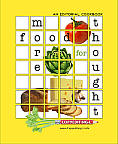 The second CE-L cookbook, More Food for Thought, is available for download as a PDF. A total of 96 editors from around the world contributed 225 recipes for this project. Want to know what recipes are in the book before you download the entire book? Get a PDF of the recipe list here.
Food for Thought
More than 50 editors from around the world contributed their
favorite recipes to Food for Thought, the first CE-L cookbook.
CE-Lmates are working on making it available for sale through Copyediting-L Gear.
Meanwhile, you may download the book, print it, and sell copies to raise money for any charity.
View this file for a quick review of the project:
Download fd4thot.txt — the text file that contains
information about how you may use Food for Thought. (7K)
Download these files for use with Adobe Acrobat:
Download cookfrnt.pdf — the Food for Thought front matter Acrobat file. (100K)
Download cooktext.pdf — the Food for Thought text Acrobat file. (589K)
NOTE: The two main files are in Adobe Acrobat format, version 2.1.
Download these files if you want the book in PostScript format:
Download cookfrnt.zip — the Food for Thought front matter PostScript file. (ZIP - 318K)
Download cooktext.zip — the Food for Thought text PostScript file. (ZIP - 1,560K)